Description
This plugin needs Contact Form 7 and Form data to kintone.
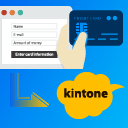
This plugin can payment using PAY.JP and post to kintone.
What is kintone?
It is a cloud service that can make the business applications with non-programming provided by Cybozu.
Collaborate with team members and partners via apps and workspaces.
- Information in Japanese : https://kintone.cybozu.com/jp/
- Information in English: https://www.kintone.com/
What is PAY.JP?
PAY.JP is a suite of payment APIs in Japan.
https://pay.jp/
Installation
- Upload the entire
ht-payjp-for-kintonefolder to the/ wp-content / plugins /directory. - Activate the plugin through the ‘Plugins’ menu in WordPress
FAQ
-
A question that someone might have
-
What about foo bar?
-
Answer to foo bar dilemma.
Reviews


Contributors & Developers
“HT PAY.JP for kintone” is open source software. The following people have contributed to this plugin.
Contributors
Translate “HT PAY.JP for kintone” into your language.
Interested in development?
Browse the code, check out the SVN repository, or subscribe to the development log by RSS.
Changelog
1.4.1( 2023-11-05 )
- [Fixed]Handle case where ‘description’ setting is not provided
1.4.0( 2023-11-03 )
- Support for adding description to payment data
1.3.6( 2023-05-26 )
- Fixed an issue with the incorrect configuration of the
wpcf7_add_form_tagfunction.
1.3.5
Release Date: April 8th, 2022
- [Update] Update version number.
1.3.4
Release Date: April 8th, 2022
- [Fixed] Fixed text domain.
1.3.3
Release Date: March 30th, 2022
- [Fixed] Fixed a bug with payjp-charged-captured-at.
1.3.2
Release Date: March 24th, 2022
- [Update] Version up number.
1.3.1
Release Date: March 24th, 2022
- [Added] Support for saving Pay.jp payment datetime to kintone.
1.3.0
Release Date: February 26th, 2022
- [Added] Supported language settings for Pay.jp payment dialog.
1.2.5
Release Date: Jun 8th, 2021
- [Added] Added support for retrieving Pay.jp’s settlement processing date.
- [Added] Remove unwanted strings such as commas and yen from the payment amount.
1.2.4
- [Fixed] A problem with the radio button as an element in the amount form.
1.2.3
- [Remove] the webhook waiting process in Pro version
1.2.2
- [Remove] filter hook of “set_update_key_for_kintone” in Pro version
1.2.1
- Changed to be updated from release assets.
1.2.0
- Add auto update for PRO.
1.1.0
- Fixed a bug that caused payment to be made to Pay.jp even if there was a validation error in Contact form 7.
1.0.8
- Fix Undefined index: kintone-enabled.
1.0.7
- Change all of Class name.
1.0.6
- Change the order of displayeds tabs.
1.0.5
- Fix Validation check was executed even when HT PAY.JP for kintone was disabled.
1.0.4
- Add Youtube on readme.txt.
1.0.3
- Add banner and icon of Plugin.
1.0.2
- Change readme.txt.
1.0.1
- Fix typo.
1.0.0
- First Release